Open Items in the sidebar and press Add Item.
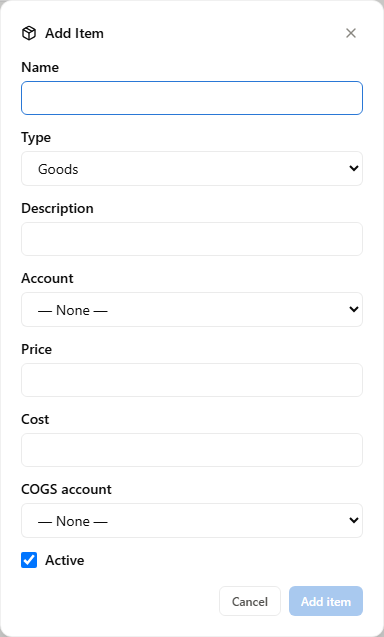
The fields that matter
Name is required and is what appears in invoice line pickers.
Type is Goods or Services. Goods are things you hold and count, so they get quantity and cost fields. Services are not inventory-tracked, so they do not.
Description is the default line text on an invoice. Write it as you want a customer to read it — this is the one field that leaves your books and lands in front of someone else.
Price is what you sell it for. Cost is what it costs you.
Account is the income account this item's sales post to. If everything you sell belongs in one bucket, leave it on the default. Split it only where you would actually want the Income Statement to show those lines apart — the same test as any chart-of-accounts decision.
Press Add item to save.
Why cost is worth filling in
Price minus cost is your margin, and the cost field is what lets the app work it out for you.
More importantly, it is what posts to Cost of Goods Sold when the item sells. Leave it blank and your revenue is recorded with no cost against it — your Gross Profit will look considerably better than it is, and the error is invisible because nothing is missing from the screen. It is just a cost that never existed.
Quantity on hand
For Goods, this is what you currently hold. It is a starting figure: sales reduce it as they come in.
If you are not tracking inventory levels, leaving it empty is fine — cost still posts correctly on each sale. Quantity is about knowing what is on the shelf, not about the accounting.
Items you did not create
Marketplace syncs and the QuickBooks import both create items on your behalf, so this list will fill up without you adding anything. Those behave the same as ones you add by hand — you can edit them, give them a proper cost, and deactivate ones you no longer sell.
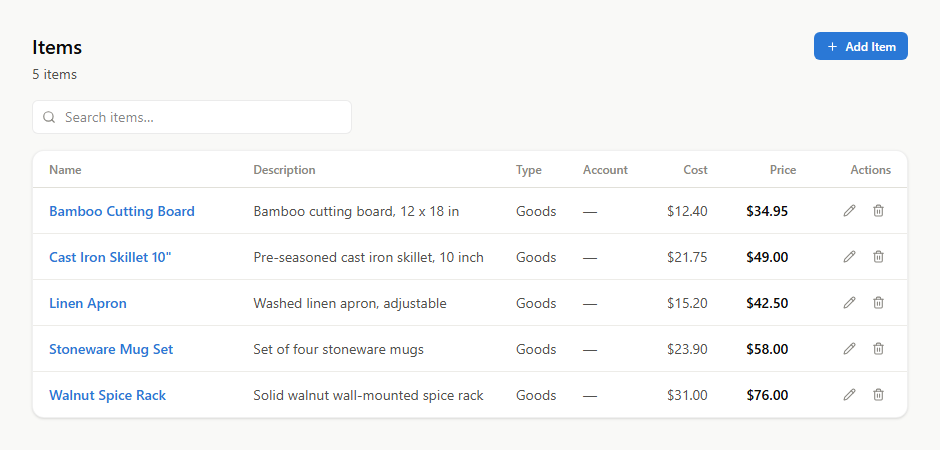
Deleting an item that appears on an invoice or a receipt is refused, for the same reason as customers: it would leave a document pointing at nothing. Untick Active instead, and the history stays readable.