Open Chart of Accounts in the sidebar. Each section — Assets, Liabilities, Equity, Income, Expenses — has its own + Add button on the right of its heading.
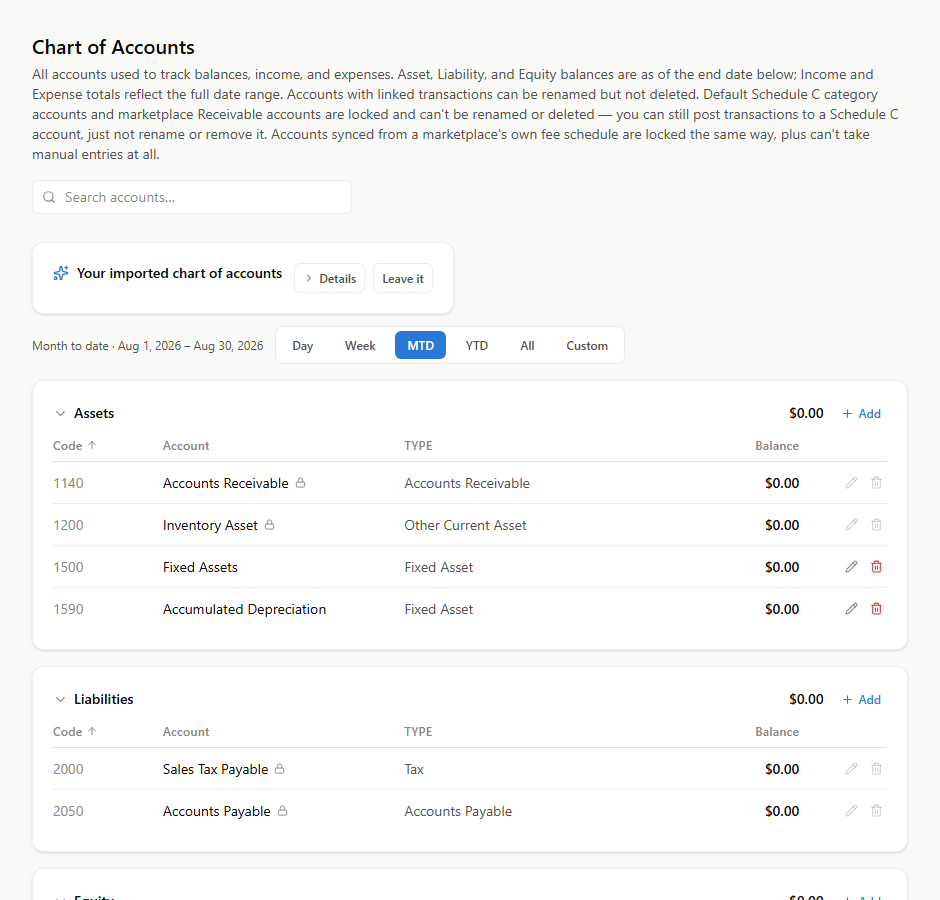
Use the button in the section you want the account to live in. That is what sets its type, and the type decides which report it appears on. An expense created under Assets does not show up on your Income Statement at all.
Filling it in
Code is the account number. It controls sort order within its section, so leave gaps —
5010, 5020, 5030 rather than 1, 2, 3 — and you can slot something between them later
without renumbering.
Name is what you will see everywhere. Write it as you would say it.
Subtype groups the account for reporting, and for expenses it also drives the tax-category mapping, so it is worth picking the closest match rather than the first one in the list.
Parent nests this account under another. Reports roll children into the parent, so you get the summary by default and the detail when you want it.
Which type to choose
| If it is… | Type |
|---|---|
| Something you own or are owed | Asset |
| Something you owe someone else | Liability |
| The owner's stake | Equity |
| Money you earn | Income |
| A cost of trading | Expense |
The two that get miscategorized most often, both worth stating plainly:
- Sales tax you collect is a Liability, not Income. You collected it on a state's behalf and you owe it onward. Recording it as income overstates your revenue and hides a debt.
- Buying inventory is an Asset, not an Expense. It becomes an expense when it sells. See Why buying inventory is not an expense.
Before you add one
Ask the question from What is a chart of accounts: would you ever make a different decision because these two numbers were separate?
If yes, a new account earns its place. If no, you are adding a filing decision you will have to make every time and a line nobody reads. Most books are improved more by splitting one account that matters than by adding ten that do not.
Accounts you cannot rename or delete
A few are protected because other parts of the app resolve them by code — Retained Earnings is the clearest example. QuickBooks and Xero both protect it harder than this does.
Marketplace fee accounts are also locked against manual entries: their numbers come from automated fee processing, and a hand-typed figure in one would break the tie-out against what the marketplace says it charged you.
You can still deactivate an account you never use, provided it has never been posted to and has no active children. Deactivating hides it from the pickers without touching history.